> ## Documentation Index
> Fetch the complete documentation index at: https://docs.boltz.bio/llms.txt
> Use this file to discover all available pages before exploring further.
# Creating Experiments
> Set up hypothesis-driven virtual screening campaigns
## Overview
Experiments organize your virtual screens around specific hypotheses. Each experiment can contain multiple virtual screens and helps you track progress toward your research goals.
## Creating a New Experiment
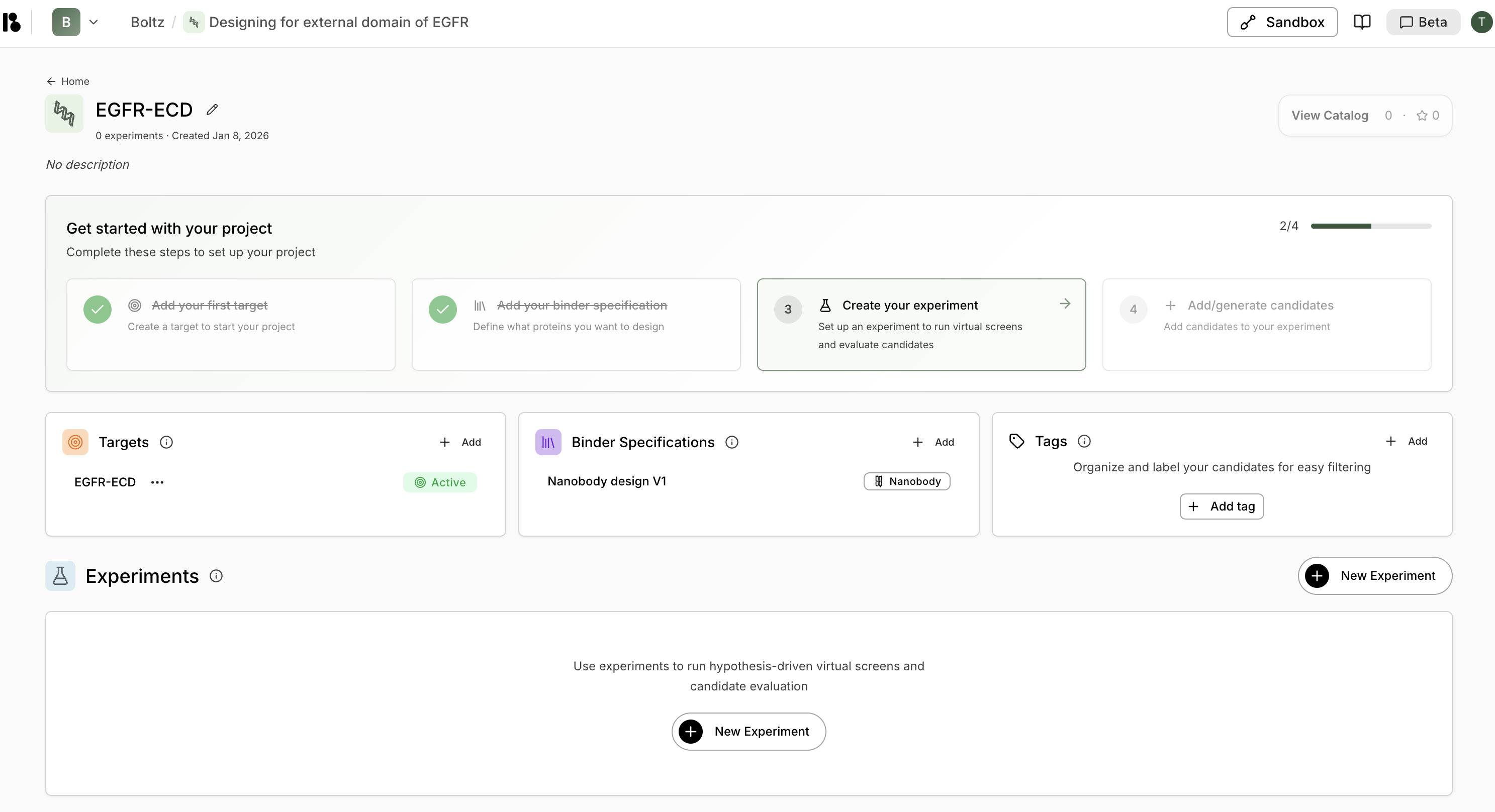
1. From your project dashboard, click **"+ New Experiment"** in the Experiments section.
 2. Enter a **Name** (required) - e.g., "First campaign to find initial hits"
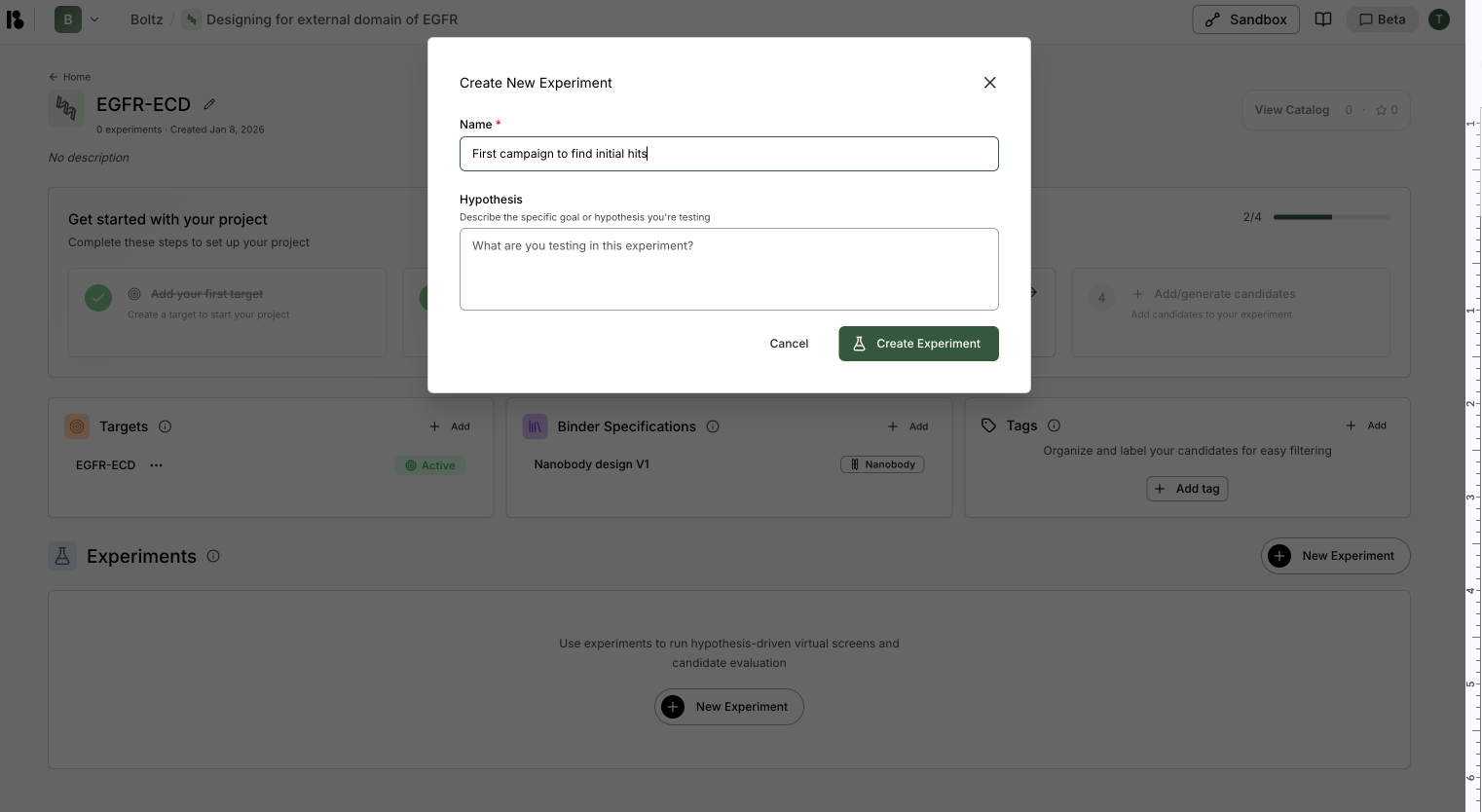 3. Enter a **Hypothesis** (optional) - Describe the specific goal or hypothesis you're testing
Good hypotheses are specific and actionable. For example: "Identified Pocket A on target X as having potential for blocking target X activity through high-affinity protein binder engagement."
4. Click **"Create Experiment"**.
## Experiment Dashboard
Once created, you can access your experiment to:
* View all virtual screens within the experiment
* See candidate results and metrics
* Triage and organize candidates
* Add new virtual screens or quick-add candidates
## Adding Candidates to Experiments
From an experiment, you have two options:
3. Enter a **Hypothesis** (optional) - Describe the specific goal or hypothesis you're testing
Good hypotheses are specific and actionable. For example: "Identified Pocket A on target X as having potential for blocking target X activity through high-affinity protein binder engagement."
4. Click **"Create Experiment"**.
## Experiment Dashboard
Once created, you can access your experiment to:
* View all virtual screens within the experiment
* See candidate results and metrics
* Triage and organize candidates
* Add new virtual screens or quick-add candidates
## Adding Candidates to Experiments
From an experiment, you have two options:
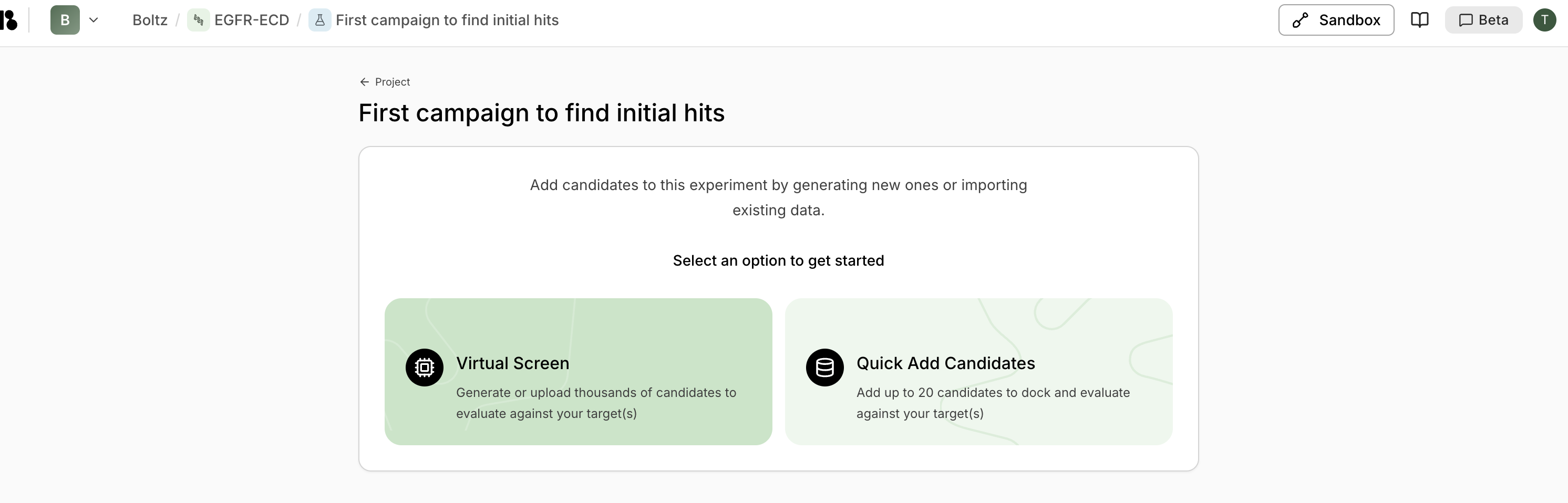 ### Virtual Screen
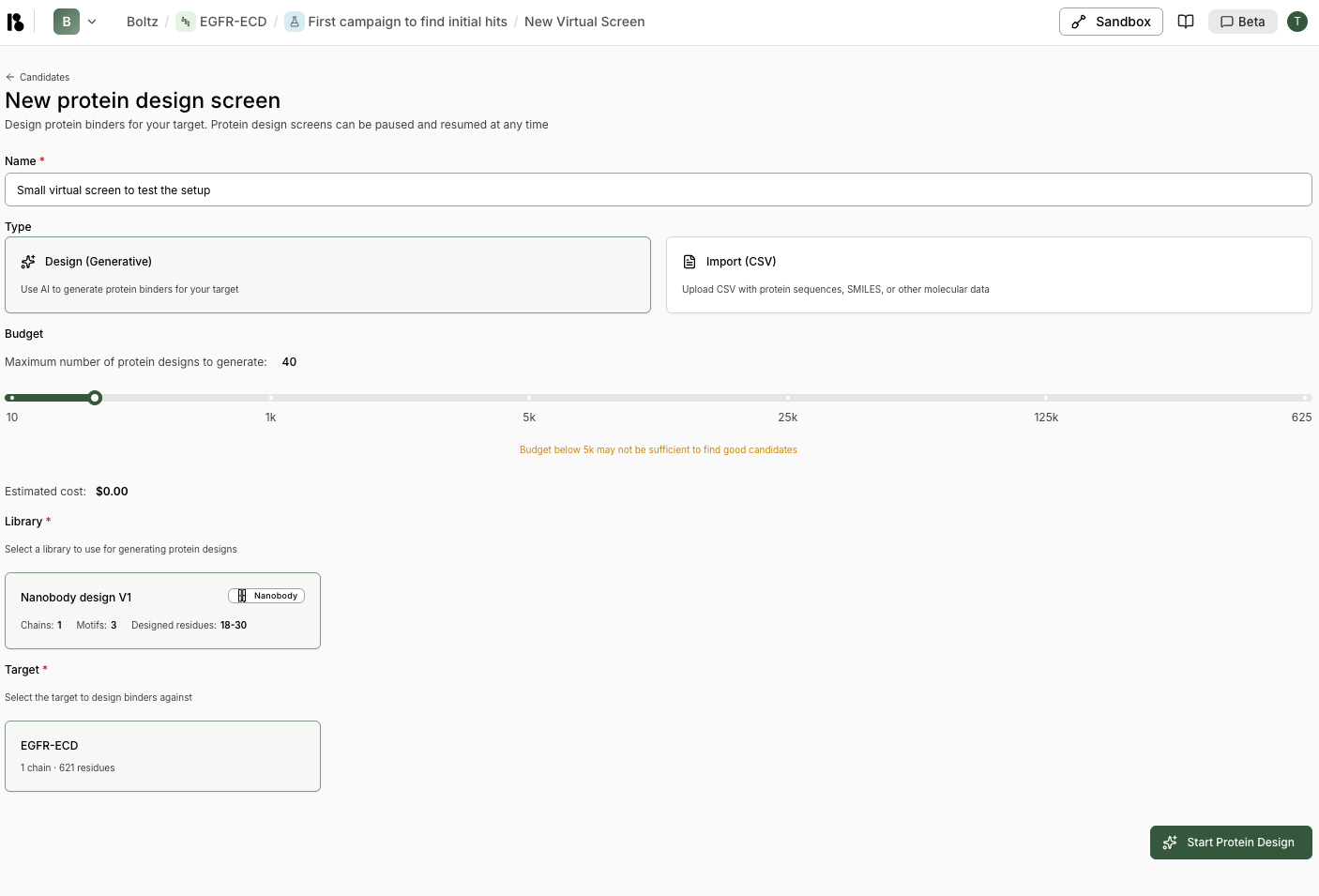 Generate or upload thousands of candidates to evaluate against your target(s). Best for large-scale screening campaigns.
### Quick Add Candidates
Add up to 20 candidates manually to dock and evaluate against your target(s). Useful for testing specific sequences or small batches.
Generate or upload thousands of candidates to evaluate against your target(s). Best for large-scale screening campaigns.
### Quick Add Candidates
Add up to 20 candidates manually to dock and evaluate against your target(s). Useful for testing specific sequences or small batches.