> ## Documentation Index
> Fetch the complete documentation index at: https://docs.boltz.bio/llms.txt
> Use this file to discover all available pages before exploring further.
# Viewing Results
> How to review results in Sandbox mode.
Once predictions are complete, the database is populated with the outputs.
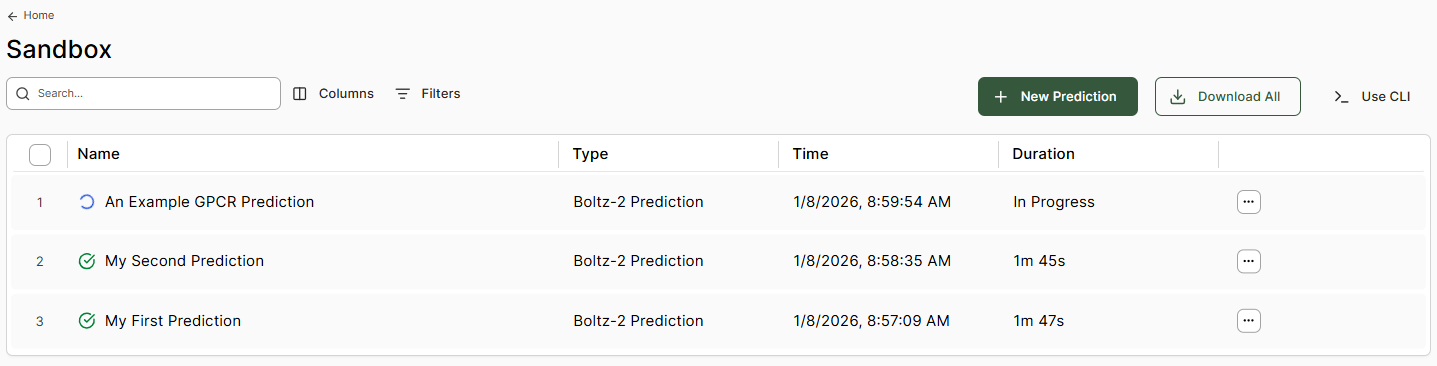 Clicking a row opens the results viewer window.
To rename a prediction, select the edit button next to the prediction title name.
The right-hand side information boxes provide:
* **Boltz Prediction Properties** - Model scoring metrics including affinity metrics (if selected)
* **RDKit Descriptors** - Standard molecular property calculations
Clicking a row opens the results viewer window.
To rename a prediction, select the edit button next to the prediction title name.
The right-hand side information boxes provide:
* **Boltz Prediction Properties** - Model scoring metrics including affinity metrics (if selected)
* **RDKit Descriptors** - Standard molecular property calculations
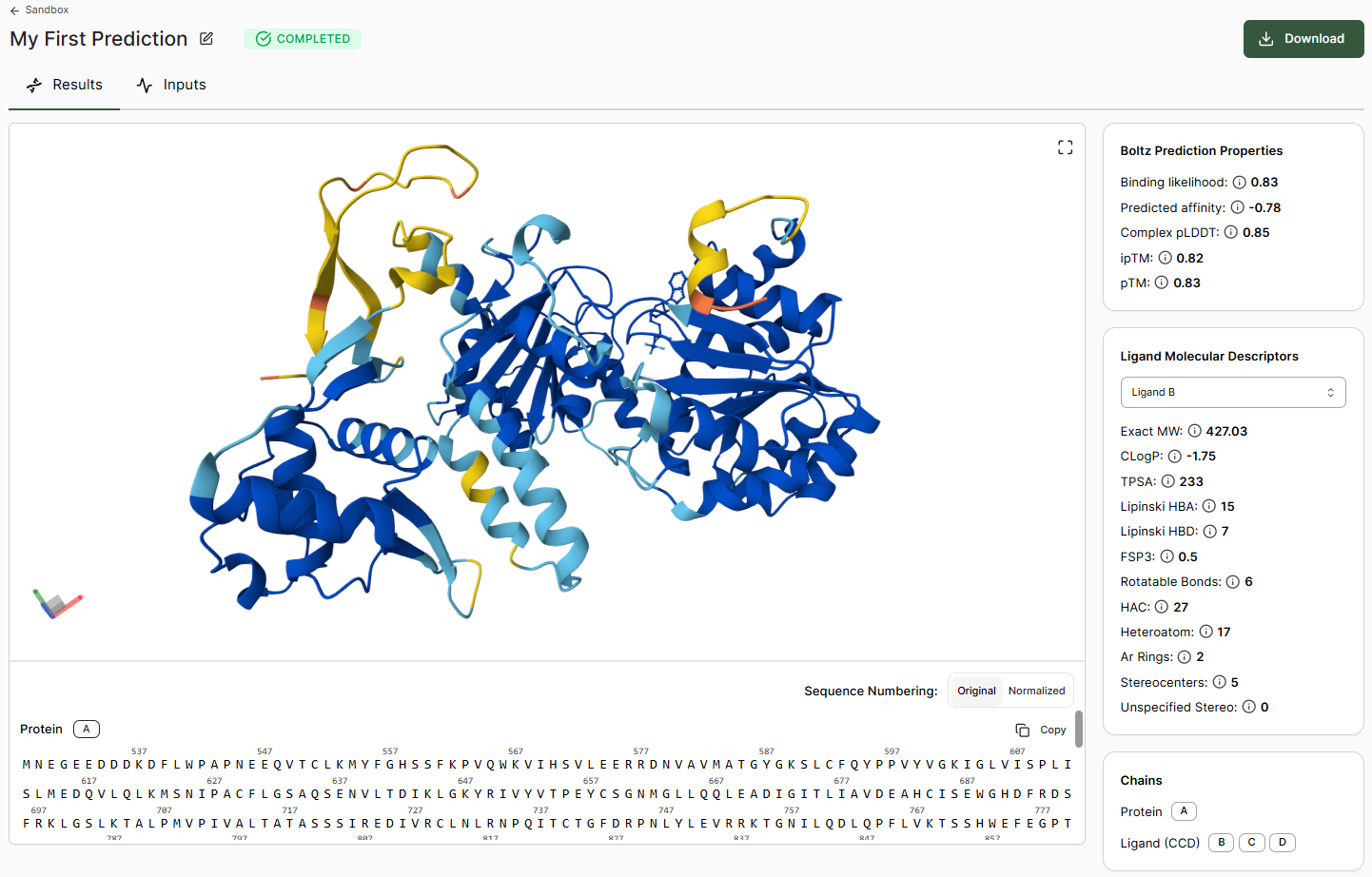 The 3D viewer displays the structure colored by per-residue pLDDT. Hovering over a residue, ligand, or cofactor in the viewer (or within the sequence window below) displays additional per-residue information.
***
## Interaction Analysis
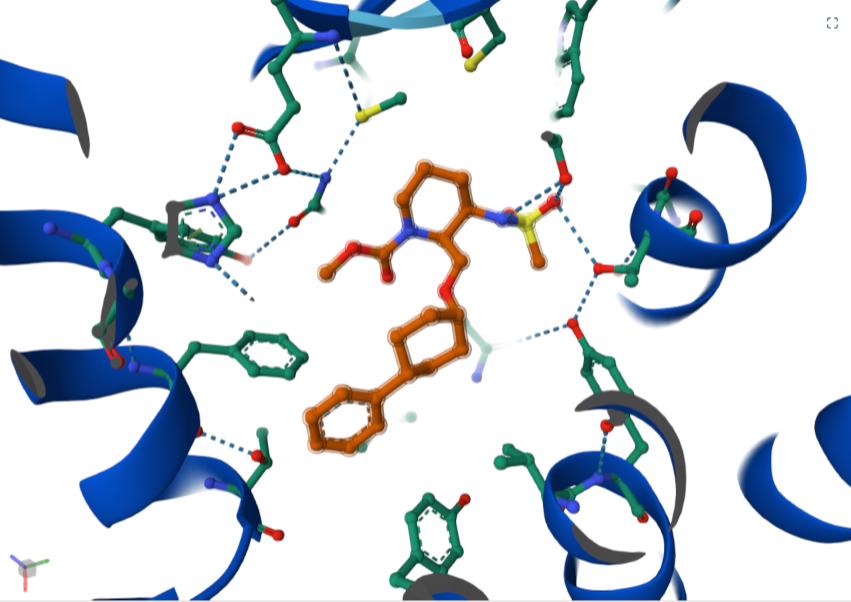
Clicking a ligand or molecule in the viewer reveals additional interactions.
The 3D viewer displays the structure colored by per-residue pLDDT. Hovering over a residue, ligand, or cofactor in the viewer (or within the sequence window below) displays additional per-residue information.
***
## Interaction Analysis
Clicking a ligand or molecule in the viewer reveals additional interactions.
 For more information on using the viewer, see the [Mol\* (MolStar) user guide](https://molstar.org/viewer-docs/).
If you wish to view or process in alternative software, the **Download** button allows export of the structural prediction and associated data for offline use.
For more information on using the viewer, see the [Mol\* (MolStar) user guide](https://molstar.org/viewer-docs/).
If you wish to view or process in alternative software, the **Download** button allows export of the structural prediction and associated data for offline use.