

Overview
After completing your virtual screening campaign and identifying promising candidates, you can seamlessly transition from in silico predictions to compound procurement. The small molecule agent within Boltz Lab searches Enamine’s synthesis-on-demand services, any molecule generated can be purchased from the Enamine REAL Space (~75B compounds).All generative screens using “Enamine REAL Space” chemical space filtering produce molecules that are theoretically synthesizable through Enamine’s building block library.
Workflow: From Results to Purchase
1
Triage Your Results
Use the Table or Triage UI to collaboratively evaluate your virtual screen output:
- Upvote molecules you favor based on predicted binding and properties
- Flag molecules for team discussion or further analysis
- Tag molecules with contextual labels (e.g., “high-affinity”, “lead-like”)
2
Add to Catalog
After triage and team review, mark your final selection as ‘active’ by clicking the ⭐ star icon:
- In the Table view: Click the star in the “ID and Tags” column
- In the Triage UI: Use the star action button
3
Review Catalog
Navigate to the Catalog from your Design Project dashboard to view all active molecules across your experiments.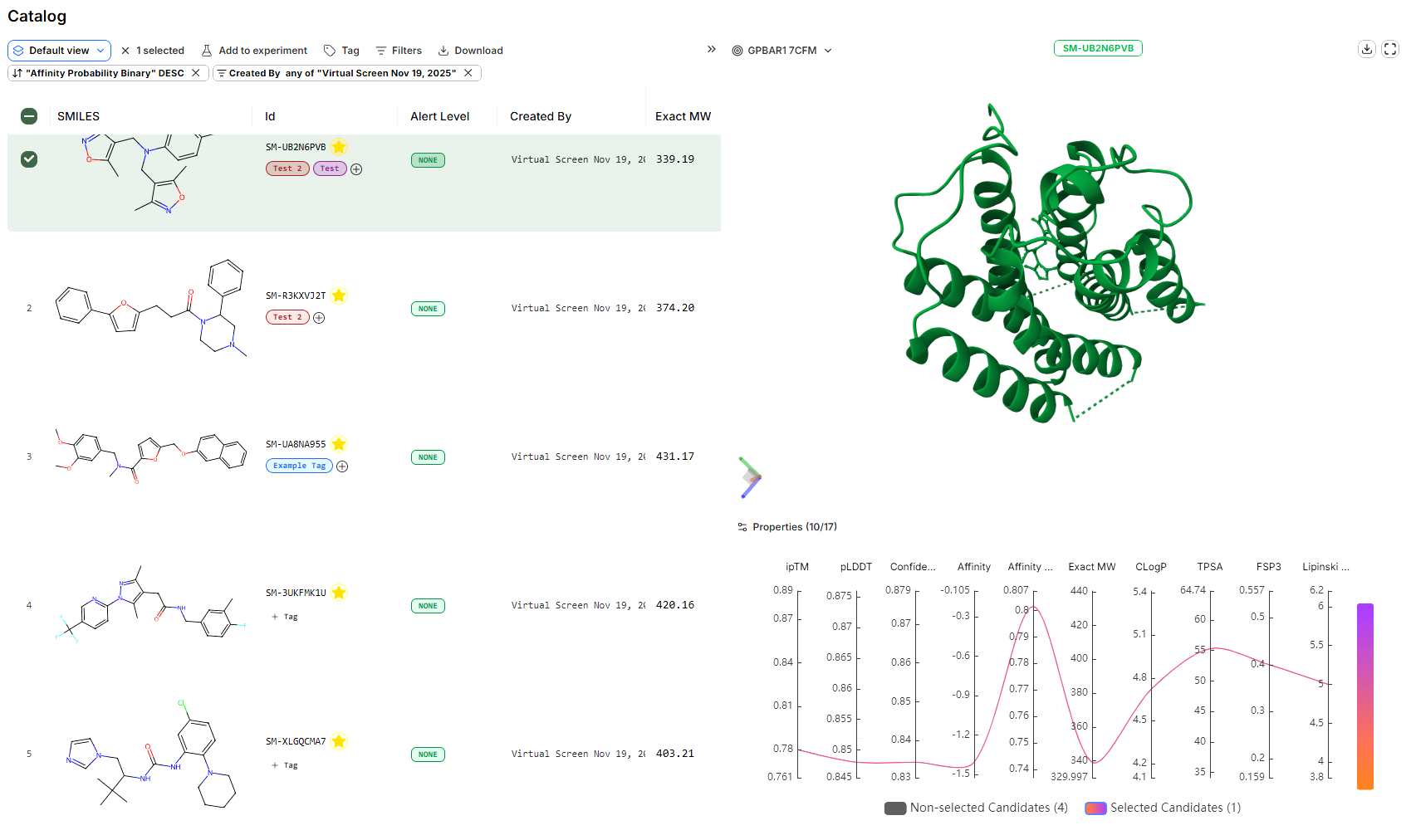
4
Download Your Selection
From the Catalog:
- Select molecules using the checkboxes (or select all)
- Click the Download button in the top menu
- Export as TSV format
5
Contact Enamine for Quote
Send your exported SMILES strings to Enamine using the contact information below. Include:
- SMILES strings from your downloaded file
- Quantities required for each compound
- Purity specifications (if applicable)
- Timeline for delivery
Enamine Contact Information
USA & Canada
Europe
Asia Pacific
Important Notes
Synthesis Timeline:Most compounds from the REAL Space can be synthesized on-demand within 3-6 weeks, depending on complexity and quantity. Enamine will provide specific timelines when you request a quote.
Alternative Procurement Options
Custom Library Screening
If you have preferred compound vendors or internal libraries:- Export molecules from your Catalog as CSV
- Share SMILES strings with your preferred synthesis provider
- Many CRO partners can synthesize compounds from SMILES specifications
Cross-Vendor Validation
For high-priority leads:- Request quotes from multiple synthesis providers
- Compare pricing, timelines, and purity specifications
- Consider ordering duplicates for critical validation studies
Troubleshooting
What if Enamine cannot synthesize my molecule?
What if Enamine cannot synthesize my molecule?
While most REAL Space compounds are synthesizable, some edge cases may require:
- Modified building blocks (may increase cost/timeline)
- Alternative synthesis routes (discuss with Enamine)
- Selecting a structurally similar analog from your results
Can I order molecules from non-generative screens?
Can I order molecules from non-generative screens?
Yes! If you uploaded a custom library or screened pre-computed vendor libraries:
- Check the original source of your molecules
- Contact the vendor directly with SMILES or compound IDs
- Many vendors offer direct purchasing through their websites
How do I track my orders?
How do I track my orders?
We recommend maintaining a spreadsheet with:
- Boltz molecule ID
- SMILES string
- Enamine quote reference
- Order date and expected delivery
- Batch/lot numbers upon receipt
Next Steps
After receiving your compounds:- Experimental Validation: Run biochemical or cell-based binding assays
- Hit Expansion: Use validated hits as templates for generative design or manual optimization in the Design Hub, or via CSV uplaod
- Iterate: Run follow-up virtual screens focused on validated chemotypes
Have questions about compound procurement? Contact our support team at support@boltz.bio