Overview
Experiments organize your virtual screens around specific hypotheses. Each experiment can contain multiple virtual screens and helps you track progress toward your research goals.Creating a New Experiment
- From your project dashboard, click ”+ New Experiment” in the Experiments section.
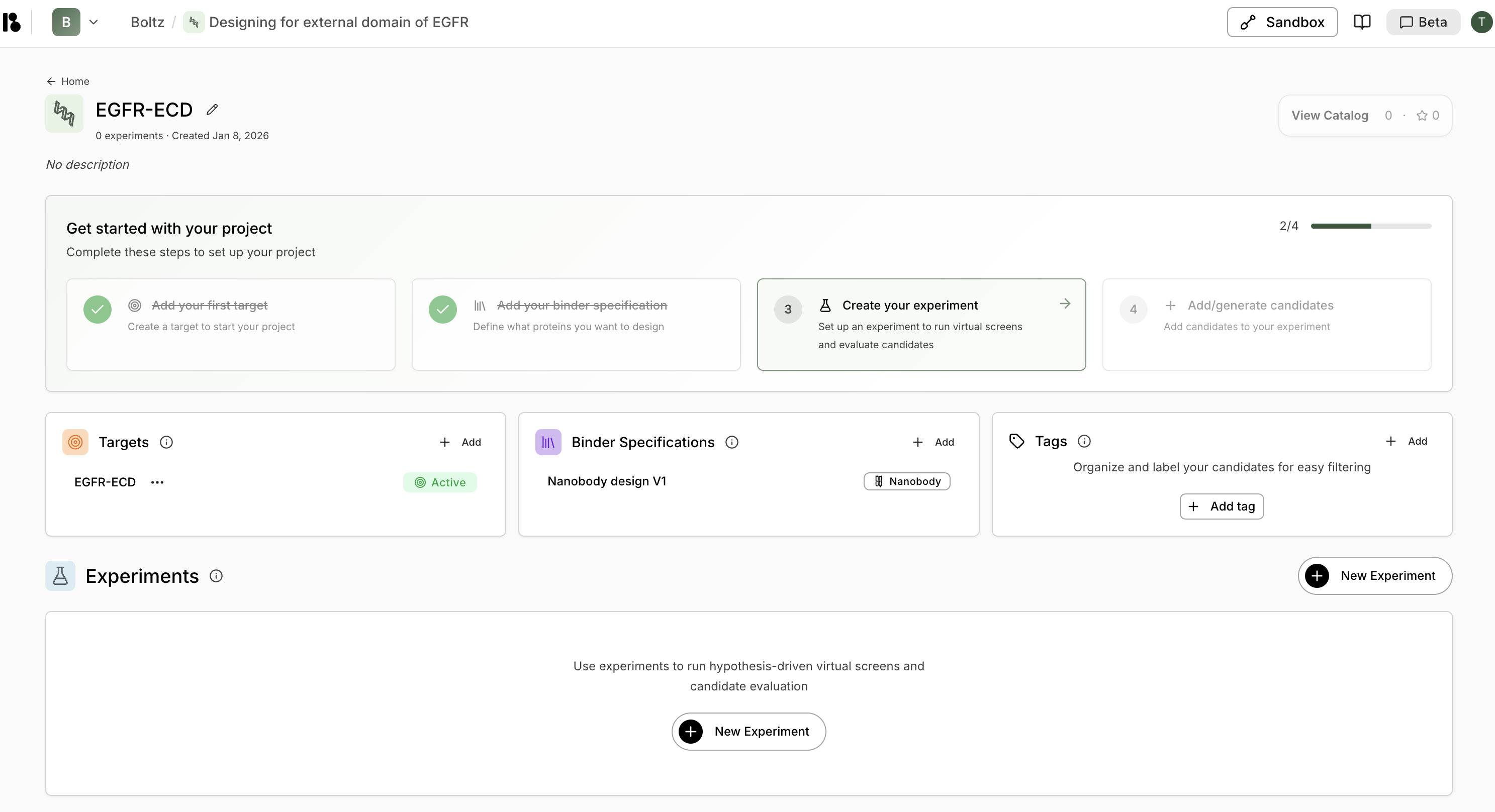
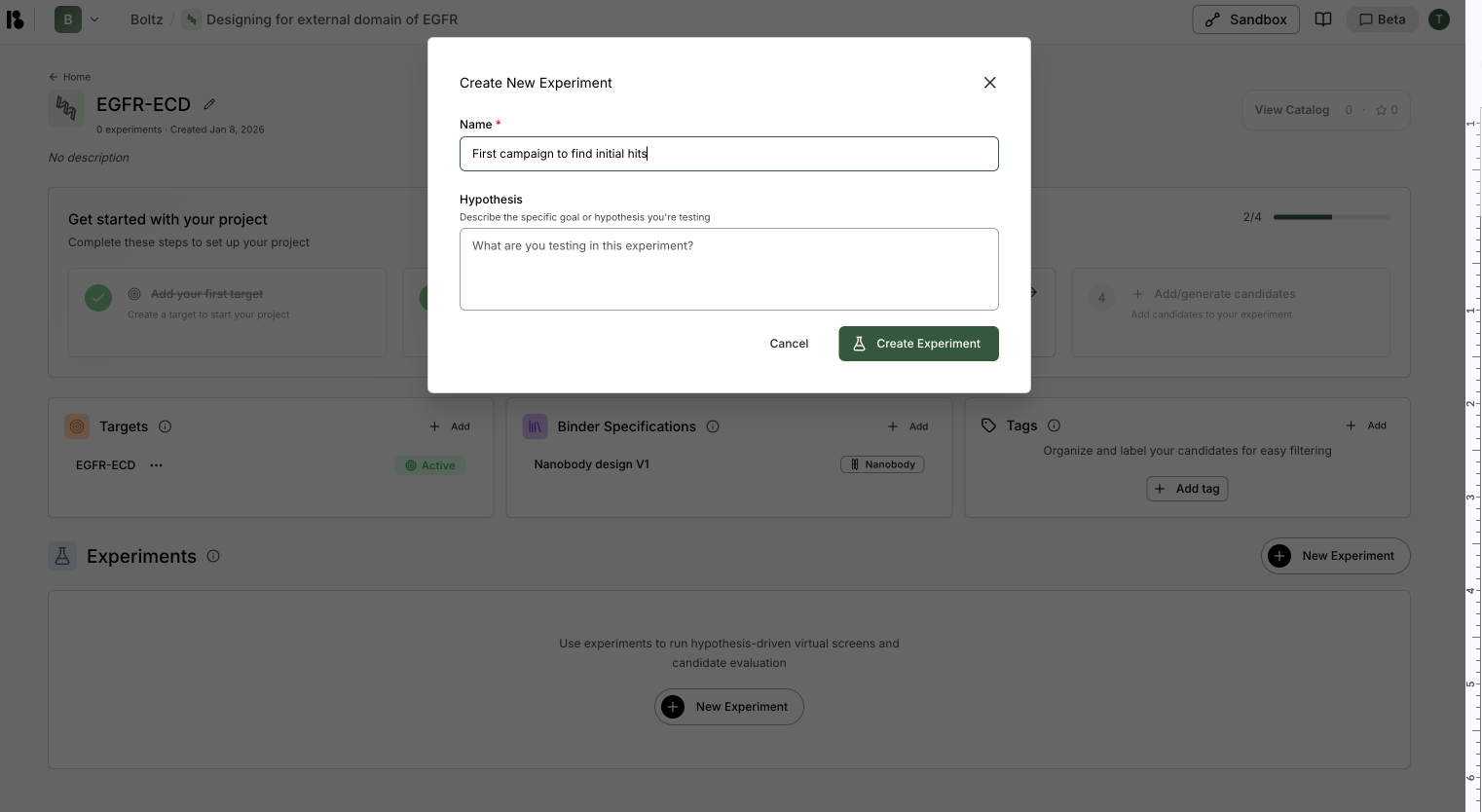
- Enter a Name (required) - e.g., “First campaign to find initial hits”
-
Enter a Hypothesis (optional) - Describe the specific goal or hypothesis you’re testing
Good hypotheses are specific and actionable. For example: “Identified Pocket A on target X as having potential for blocking target X activity through high-affinity protein binder engagement.”
- Click “Create Experiment”.
Experiment Dashboard
Once created, you can access your experiment to:- View all virtual screens within the experiment
- See candidate results and metrics
- Triage and organize candidates
- Add new virtual screens or quick-add candidates
Adding Candidates to Experiments
From an experiment, you have two options: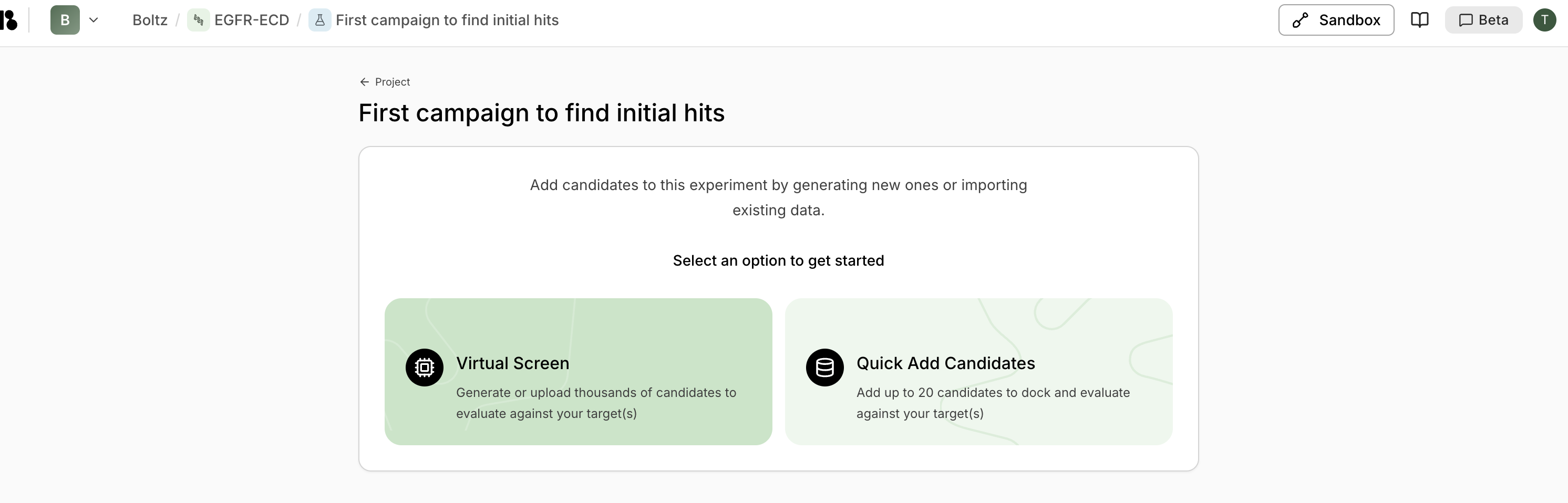
Virtual Screen